Light Balance for Aquatic Plants
Balance aquarium light intensity, photoperiod, plant mass, nutrients, CO2 expectations, and algae pressure in a planted tank.
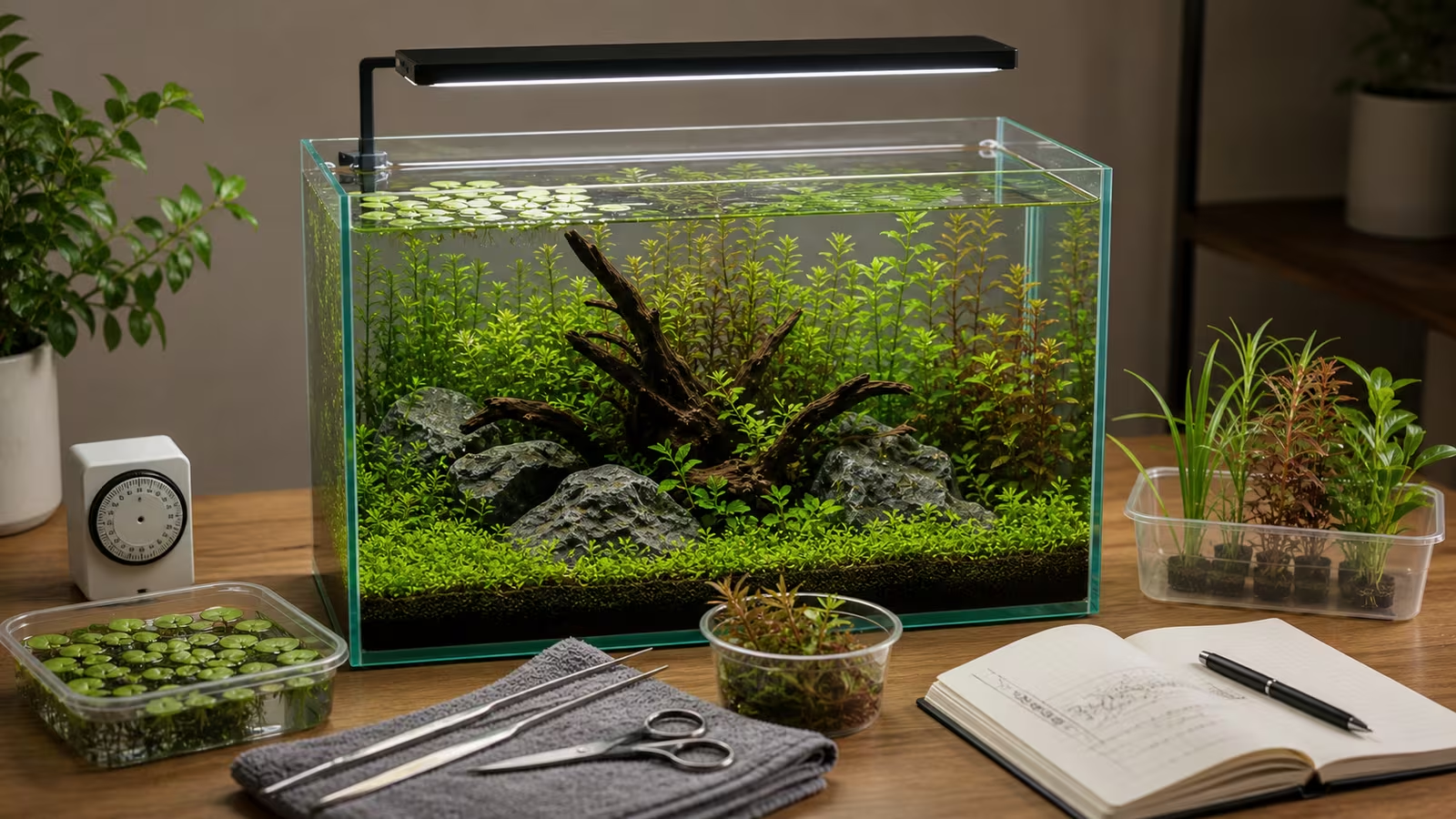
Light helps aquatic plants grow, but algae can use it too. Too much light for the plants and the rest of the setup can make algae harder to manage; too little can limit plant growth. The useful setting depends on the species, the light reaching their leaves, available nutrients and carbon, and the care you can maintain.
The goal is enough light for the plants you have, with a routine that leaves algae manageable. A little algae is normal, and its presence alone does not identify the cause of a problem.
Heads up
Light and livestock boundary
Consider the needs of the animals as well as the plants. Provide a regular dark period and appropriate cover or shade, and avoid leaving blue or moon lights on all night. Watch animal behavior when changing the light. If animals are distressed or water quality is unsafe, address that promptly rather than waiting for a lighting experiment.
The Balance Triangle
| Factor | What It Means |
|---|---|
| Light | Intensity at the leaves, duration, spread, and shading. |
| Nutrients | Nutrients from food and animal waste, source water, substrate, root tabs, and liquid fertilizer. |
| Carbon | Carbon available in the water, with or without added CO2. |
These inputs interact, but the triangle is a guide rather than a diagnostic test. Adding light does not fix a plant that is adjusting to a new tank or struggling for another reason. Algae has several possible causes, so do not assume a particular nutrient is missing or excessive just from its appearance.
A low-tech tank without pressurized CO2 is often easier to manage with less demanding plants and moderate light. A high-light carpet can require more carbon management, fertilizing, and trimming. Choose the plants and routine together; see CO2 vs. Low-Tech and Carpeting Plants Reality .
Start Conservatively
For a typical freshwater planted tank, try eight continuous hours on a timer, such as noon to 8 p.m. This is a starting point, not a guarantee for every fixture or species. The Ornamental Aquatic Trade Association’s planted aquarium guide recommends timed lighting and at least six to eight hours, with longer schedules depending on the setup. Check the needs of your livestock too: the RSPCA’s fish environment guidance recommends a regular light and dark cycle.
For a newly planted tank, a shorter start is another option: Tropica’s setup guide suggests six hours a day for the first three weeks, then a gradual increase to eight. Watch the plants and algae rather than increasing automatically. If animals are already present, account for their species’ light and darkness needs, including the room light they receive outside the fixture’s schedule.
Choose a moderate setting if the fixture dims, and record it. A percentage is specific to that fixture: 50% on one light is not the same intensity as 50% on another. A short schedule does not necessarily compensate for an excessively bright light. If the fixture cannot dim, check its instructions for supported mounting-height or controller options; raising it can also change its spread. Block direct sun with a blind or curtain to make the light more predictable and reduce unwanted heating.
Check that the timer actually switches the light and that any ramp or moonlight setting behaves as intended. Keep the filter and heater on continuous power. Photoperiod and Timer Setup covers the setup and checks after a power outage.
Look At The Light Reaching The Plant
A plant near the surface can receive much more light than one on the substrate. Tank depth, the fixture’s height and spread, floating plants, and overgrown stems all affect what reaches a leaf. If one plant struggles in a shaded corner while others grow well, inspect its position and the canopy before increasing the light for the whole tank. Trim or move plants thoughtfully, keeping cover for animals that need it.
Watts describe power consumption, not the light available to plants. PAR refers to the range of light used in photosynthesis; a suitable underwater PAR meter measures the light reaching a spot at that moment. To compare fixture settings over time, measure at the same depth and position and note the setting and shade from plants. To compare locations, measure at each plant’s position with the same setting. Follow the meter’s underwater instructions: Apogee explains that some sensors need an immersion correction. A single reading does not describe the whole tank or the entire day, and a number by itself does not prescribe the right setting for every species. Without a meter, a consistent setting, photos, and observations are still useful. Fixture color or a high lumen rating alone cannot tell you whether every plant receives enough light. Tropica’s lighting guide illustrates how distance and position affect the light reaching plants.
Choose plants for their actual position and the conditions you can provide. Anubias and Java fern are useful options for a modest-light plan; a dense carpet may have different needs at substrate level. Check the requirements of the particular plant, and see Beginner Aquarium Plants for choices and placement.
Read The Tank Before Adjusting
| Observation | What To Check First |
|---|---|
| Algae returning rapidly | Confirm the timer, fixture setting, direct sun, recent changes, and maintenance. Clean a small area so you can compare new growth. |
| Stems growing tall or leaves sparse | Check shade and the plant’s normal growth habit, along with its transition, nutrients, and carbon. Stretching can be a clue to insufficient light, not proof by itself. |
| Old leaves melting after planting | Look for healthy new submerged growth. Transition stress can damage old leaves even when the light is adequate. |
| One plant declining while others grow | Check its placement, roots or attachment, and species needs before changing the whole tank. |
Slow-growing plants may take longer to show a response, and damaged leaves may not recover. Compare new growth as well as old leaves. Follow the plant melt recovery guide for recently introduced plants, and review Fertilizing Aquatic Plants before changing a nutrient routine.
Make One Routine Change At A Time
- Record a baseline. Note the light’s on and off times, dimming setting, direct sun, plant growth, and algae. Photograph the same plants and glass from the same angle.
- Choose one adjustment. If a very long schedule or bright setting coincides with spreading algae, consider shortening the schedule or lowering intensity. For example, reduce an unusually long schedule by one hour, or make one small dimming step. Record the date and setting.
- Observe for one to two weeks. Continue normal feeding, water changes, and plant care. Compare the rate at which algae returns after cleaning and the condition of new growth. For example, clean the same patch of glass and compare it after the same number of days, noting any major trimming or plant additions. Aquarium Co-Op’s lighting guide recommends one adjustment at a time and a two-week wait for low-tech tanks.
- Reassess. If plants are growing and algae is manageable, leave the setting alone. If a plant continues to struggle, check its placement and other needs before deciding whether a small increase in light is warranted. Avoid changing fertilizer, plant mass, feeding, and light together unless an urgent problem requires action.
Common Mistakes
- Running the light all day because plants need light, or using blue or moon lights all night.
- Buying demanding red plants or carpets without checking the light and care they need.
- Ignoring direct sun or shade from a dense floating-plant canopy.
- Increasing the light to fix plants that need nutrients, root care, or time to adjust.
- Treating algae as proof of a single missing nutrient or adding livestock as a quick fix.
Related Fondsites Path
- Plant Light Matcher for matching ambition to light and CO2.
- Algae Prevention Basics for a broader maintenance and observation checklist.
- Floating Plants Control for managing shade and surface cover.
- Houseplant Clinic for practical light observation outside the aquarium.
Try This Next
Record your current schedule and fixture setting, then photograph the plants and a cleaned patch of glass. Keep the routine steady for two weeks while watching new growth, algae, and the animals. If you adjust the light, change one setting in a small step and write down the date.